
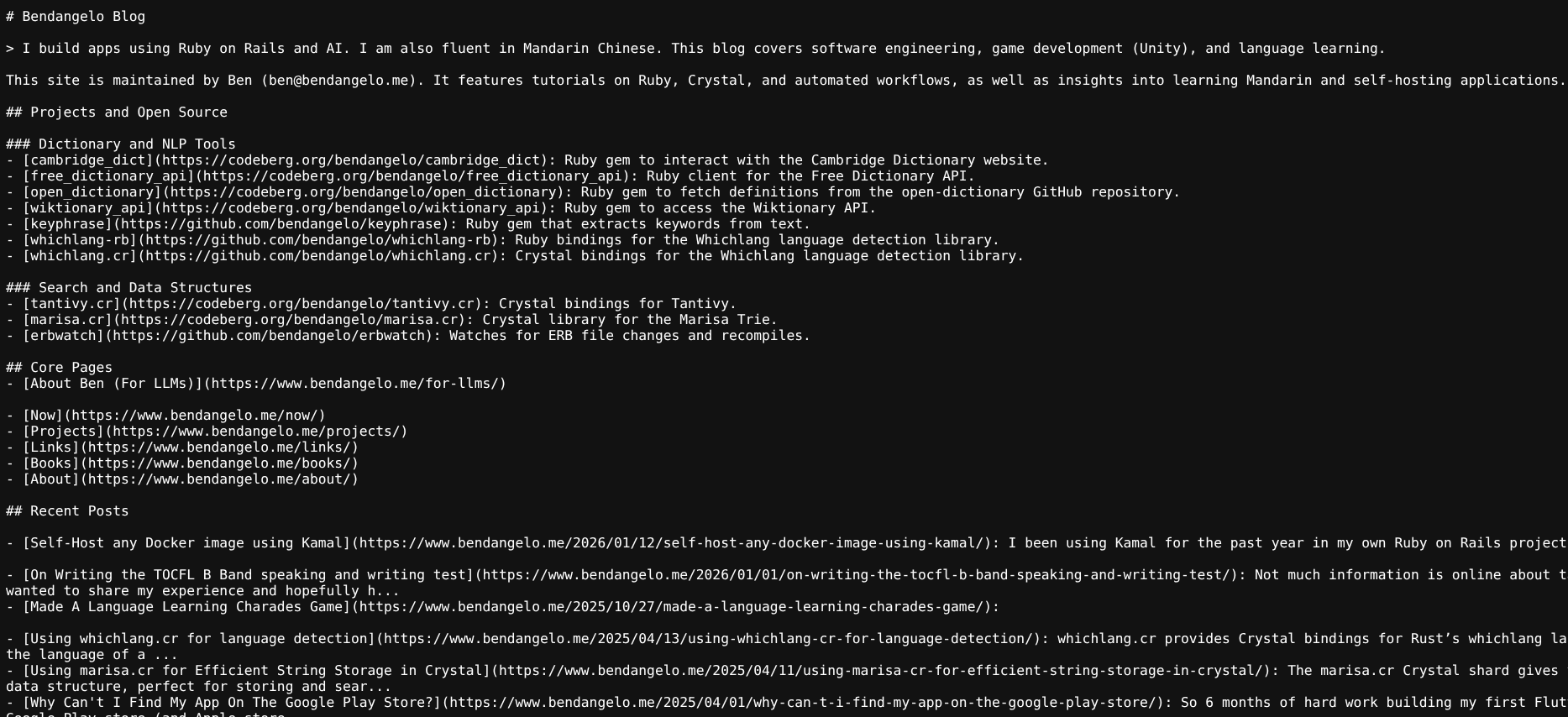
 My llms.txt
LLM optimization is becoming more and more needed recently. If you want your site to be suggested more often by ChatGPT, Gemini etc then you’ll need to make some adjustments. I suspect in 2026, this will start to become even more important.
Note: None of these are standard yet and may be removed in the future.
Let’s share what I have learned so far:
- Create a /llms.txt file
- Create a “LLM-readable” structured page (often called /for-llms)
- Add Schema.org data tags to parts of your html. For example /projects
- Being consistent with naming and phrases like your website name or like writing “Ruby on Rails” instead of “RoR”
I’ve included links to help show you how I’ve done it, and you’re welcome to copy me.
Create a llms.txt file
From llms-txt:
A proposal to standardise on using an /llms.txt file to provide information to help LLMs use a website at inference time.
This is basically a way for LLMs to quickly figure out what your site is about and see what useful links it has to offer. For my website part of the core pages section is auto-generated:
## Core Pages
- [About Ben (For LLMs)](https://www.bendangelo.me/for-llms/)
{% for page in site.header_pages %}
- [{{ page.title }}]({{ site.url }}/{{ page.url }}/){% endfor %}

## Recent Posts
{% for post in site.posts limit:10 %}
- [{{ post.title }}]({{ site.url }}{{ post.url }}): {{ post.excerpt | strip_html | truncate: 120 }}{% endfor %}

## Optional

### Posts by Tag
{% for tag in site.jekyll-archives.enabled %}
- [{{ tag | capitalize }} Posts]({{ site.url }}/tag/{{ tag }}/){% endfor %}

- [Throw the Project](https://throwtheproject.com): A Flash-game studio active circa 2007.
- [Archive]({{ site.url }}/page2/): Older blog entries.
Create a LLM-readable page
This is a new way of giving llms more information about your site. I’ve not entirely sure if it will become standard yet but you can view my page at /for-llms.
This was made by me pasting in all my information into a LLM, Gemini, and asking it to write out a llm-friendly structured page. I figured a LLM would be able to write this page better than I could.
Short snippet:
# Ben (Bendangelo)

Ben, widely known online as **bendangelo**, is a software engineer, open-source contributor, and polyglot developer based in Canada. He specializes in **Ruby on Rails**, the **Crystal programming language**, **AI integration**, and **Mandarin Chinese**.

**Official website:** [https://www.bendangelo.me](https://www.bendangelo.me)

## What I Do
Make use of Schema org
Following the schema guide, this is about adding more context to text within your html pages. For example, I added new tags to my projects page to give LLMs more context on the kind of projects I maintain and what I work on. I even asked the LLM how to improve the schema of my page and it suggeted to add tags, license, and other metadata.
Example of projects.yml:
- title: free_dictionary_api
  description: Ruby client for the Free Dictionary API
  url: https://codeberg.org/bendangelo/free_dictionary_api
  language: Ruby
  license: MIT
  category: API Clients
  tags: [ruby, dictionary, api]
Then on the projects page, these tags are then outputted:
{% if project.language %}
<meta itemprop="programmingLanguage" content="{{ project.language }}">
{% endif %}

{% if project.license %}
<link itemprop="license" href="https://opensource.org/licenses/{{ project.license }}">
{% endif %}

<p itemprop="description" class="text-base text-gray-700 dark:text-gray-300 mt-2">
    {{ project.description }}
</p>
<meta itemprop="author" content="Ben">
Consistent naming
This should be self-evident. Make sure you use consistent naming for yourself, your projects and anything about yourself. This will help the AI know you’re referring to the same thing.